How to schedule SEO posts automatically for multi-site teams
Want to know how to schedule SEO posts automatically across a portfolio of sites without flattening each brand’s voice?
Monday, messy CMS: one agency’s pilot
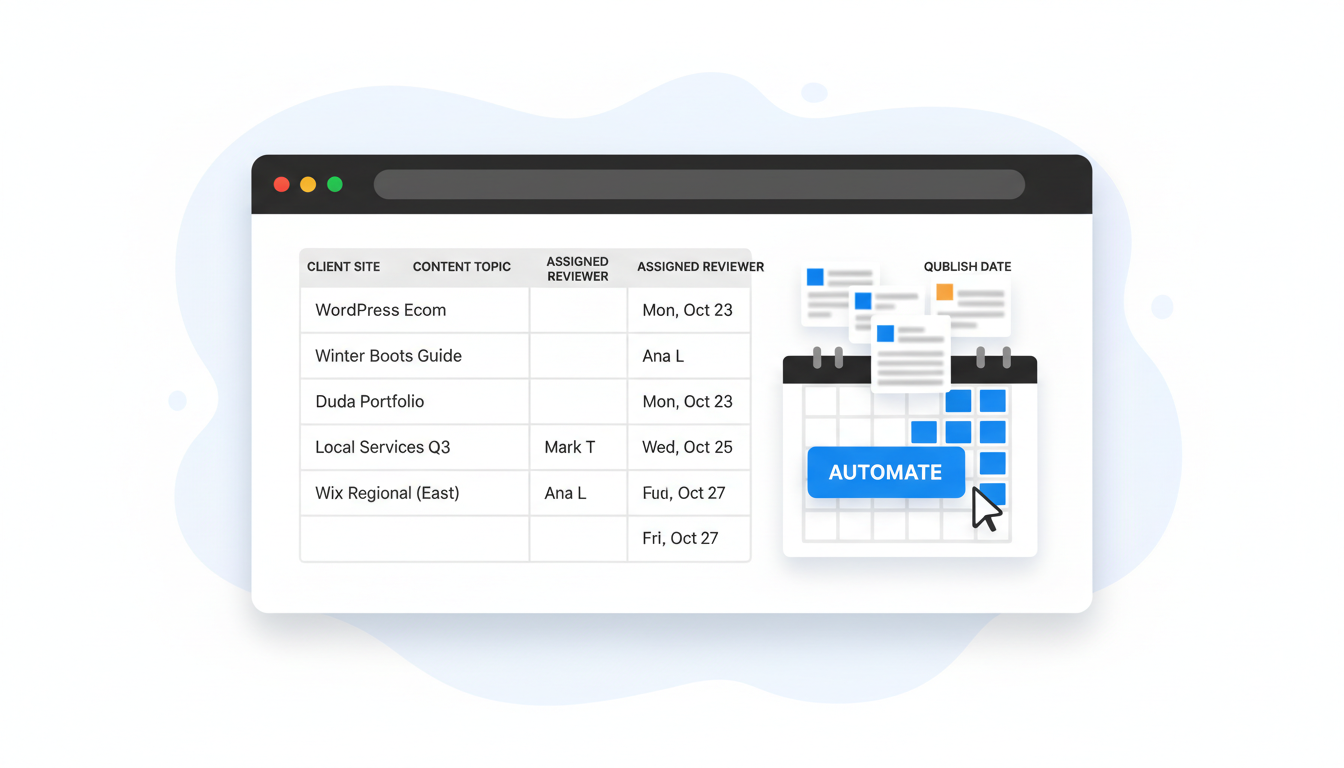
At 09:10 the account lead opens a Google Sheet and stares at a backlog that includes five WordPress installs, a Duda portfolio and two regional Wix sites — all with different audiences and publishing rules. They pick one representative e‑commerce client, assign a reviewer in the sheet, and queue ten topics to a single week. The agency uses Blogdat to turn those topics into SEO-ready posts, generate on‑brand hero images, and schedule them to publish across the client’s WordPress site and the regional Wix copy with localized headlines. By Tuesday the posts are authored, QA'd by the named reviewer, and automatically submitted to Google for indexing.
Why centralize repeatable work and keep strategy local
Centralization means you stop redoing the same research and publishing checks for every single site; it doesn't mean you roll out identical content everywhere. In practice, you centralize mechanistic tasks — topic discovery, intent mapping, brief generation, image production, and CMS connectors — while letting each domain own audience, tone, and priority. That split is the operational premise AutoSEO flagged on Oct 14, 2026: standardize the repeatable steps and keep editorial decisions domain-specific.
In a multi-site team you want three things to be deterministic: the inputs (topic lists and priority), the process (brief → draft → SEO readiness score → publish), and the controls (who approves per domain). With Blogdat, the process is visible in the portfolio dashboard so you can see which tasks are automated and which need human sign-off. This reduces context‑switching — instead of hunting for briefs across six tools, your writers open one item with recent SERP context baked into the brief. That speed is why teams that use automated scheduling can run more experiments: you can try a new topical cluster on one domain without changing the cadence for every site.
Execution versus strategy
Execution is where automation pays — drafting, metadata, image generation, CMS publishing, and even automatic Google index submission. Strategy stays with the domain owner: target personas, priority funnels, and brand rules. Both AutoSEO and Search Atlas underline this separation; Search Atlas’ Oct 26, 2026 documentation maps the same sequence — topical maps to a planner to AI templates to CMS connectors — and shows how agencies save time when publishing directly to client CMSs (Automate Article Generation and Multi-CMS Publishing).
That model forces clear role definitions at scale: a central operator or automated engine handles the heavy lifting; site leads handle final judgments. Your Monday stand-up should therefore confirm priorities, not re-run research that an automated brief already solved.
“Automating publishing saves time when managing multiple client sites, but you still need site-level priorities and approval safeguards.”
That sentence paraphrases a point Search Atlas made on Oct 26, 2026 and reflects a reality teams live with: automation is a tool, not a replacement for editorial judgment.
Inventory and topic-to-domain mapping that actually works
Imagine a table with every domain, the primary persona, three priority topic clusters, and a quarterly cadence — that’s your portfolio inventory. One regional publisher we work with catalogued fifty sites, gave each a content appetite score (low/medium/high), and used Blogdat’s portfolio view to map topics to the best-performing domain for each intent. The result: fewer duplicate topics across domains and clearer topical authority signals for each site.
Shared workflows: briefs, images, and SEO readiness
You can automate the parts that repeat: recent SERP context, competitor headlines, target keywords, structured brief items, and an initial draft. Blogdat takes those inputs and creates a publish-ready package: an AI-generated brief with updated context, an on-brand hero image (with stock fallback), and a site-specific SEO readiness score. Those readiness scores — a single number with actionable checks — make it easy to enforce quality without manual line-by-line reviews.
A practical way to operate is to require a domain reviewer to clear any post scoring below your threshold. That reviewer might change a headline, adjust internal links, or swap a localized CTA. The shared workflow should also include test cases for localization: when you publish translated versions, the localized headline and H1 should be reviewed by a native speaker even if the rest of the process is automated.
Where automation helps most
- Topic research at scale: run thousands of keyword-intent checks centrally and map winners to sites. - Automated briefs: supply writers with a context-rich page brief (SERP features, related questions, suggested headings). - Brand-aware imagery: auto-generate hero images with your logo, tone, and fallback stock. - Readiness checks and metadata: auto-fill alt text, meta titles, and canonical tags per site rules. These reduce the tedium and shift human time back toward impact work like internal linking strategy and cross-site authority planning.
| Decision criterion | Why it matters | Blogdat capability |
|---|---|---|
| CMS coverage | Direct publishing saves hours per site | Multi-CMS connectors (WordPress, Wix, Duda) |
| Localization | Regional SEO needs native review | Multilingual pipelines + localized briefs |
| Indexing speed | Faster discovery for new pages | Automatic Google index submission |
“Pilot automation on one representative site, name a reviewer for each domain, and only enable automated publishing when approvals are clear.” — advice echoed by AutoSEO, Oct 14, 2026
That guideline is practical: you control rollout risk and measure impact before you switch on every connector.
Pilots, approvals, and the metrics that tell you to change course
Start small: a 6–8 week pilot on a single representative site identifies where automation speeds you up and where it breaks. For example, automated publication can break when a site uses custom microdata or a bespoke late-binding template; those edge cases need a manual step or a custom connector. Name a domain reviewer for approvals, set access controls in your CMS connectors, and use staged publishing (draft → scheduled → publish) so reviewers can step in before anything goes live.
Your dashboard should show portfolio KPIs: site-level traffic, topic-level CTR, and indexing status for every scheduled post. Blogdat surfaces those metrics so you can reassign topics from a low-performing site to a higher‑authority domain or change cadence when a topic heats up. If internal linking increases by 20% after a campaign, you’ll see referral uplift and can reprioritize.
A limitation: automation introduces a dependency on connectors and templates — when a CMS changes an API or a template drops a custom field, scheduled jobs can fail silently unless you monitor publish confirmations and index-submission receipts. That’s why Blogdat logs each automatic Google submission and reports a success or retry state.
Read also How to Generate SEO-Ready Blogs with AI and Auto-Index and How to set up multi-site SEO blogging with AI automation.
